Why Is There a Powerboard Behind Every Couch?
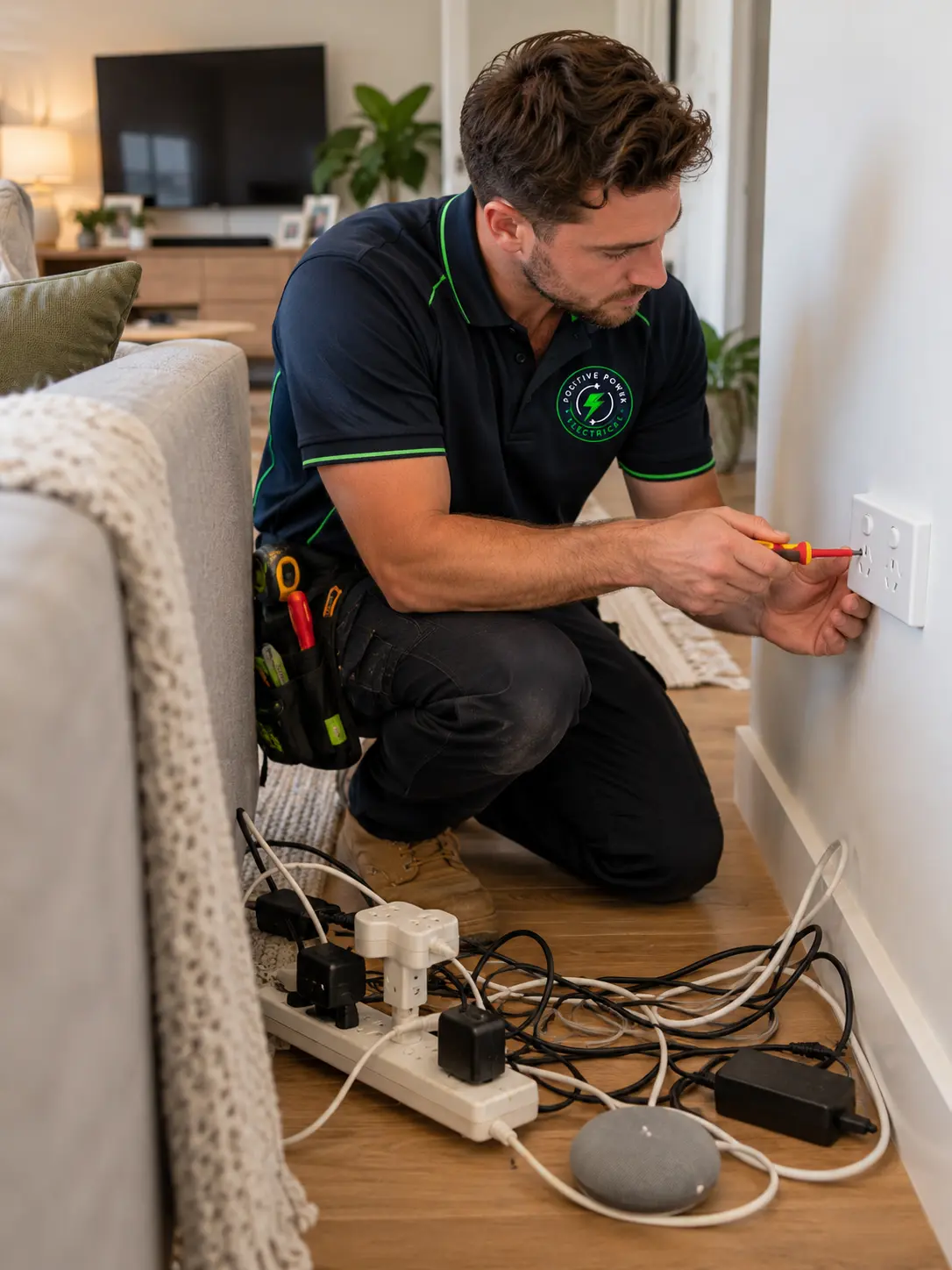
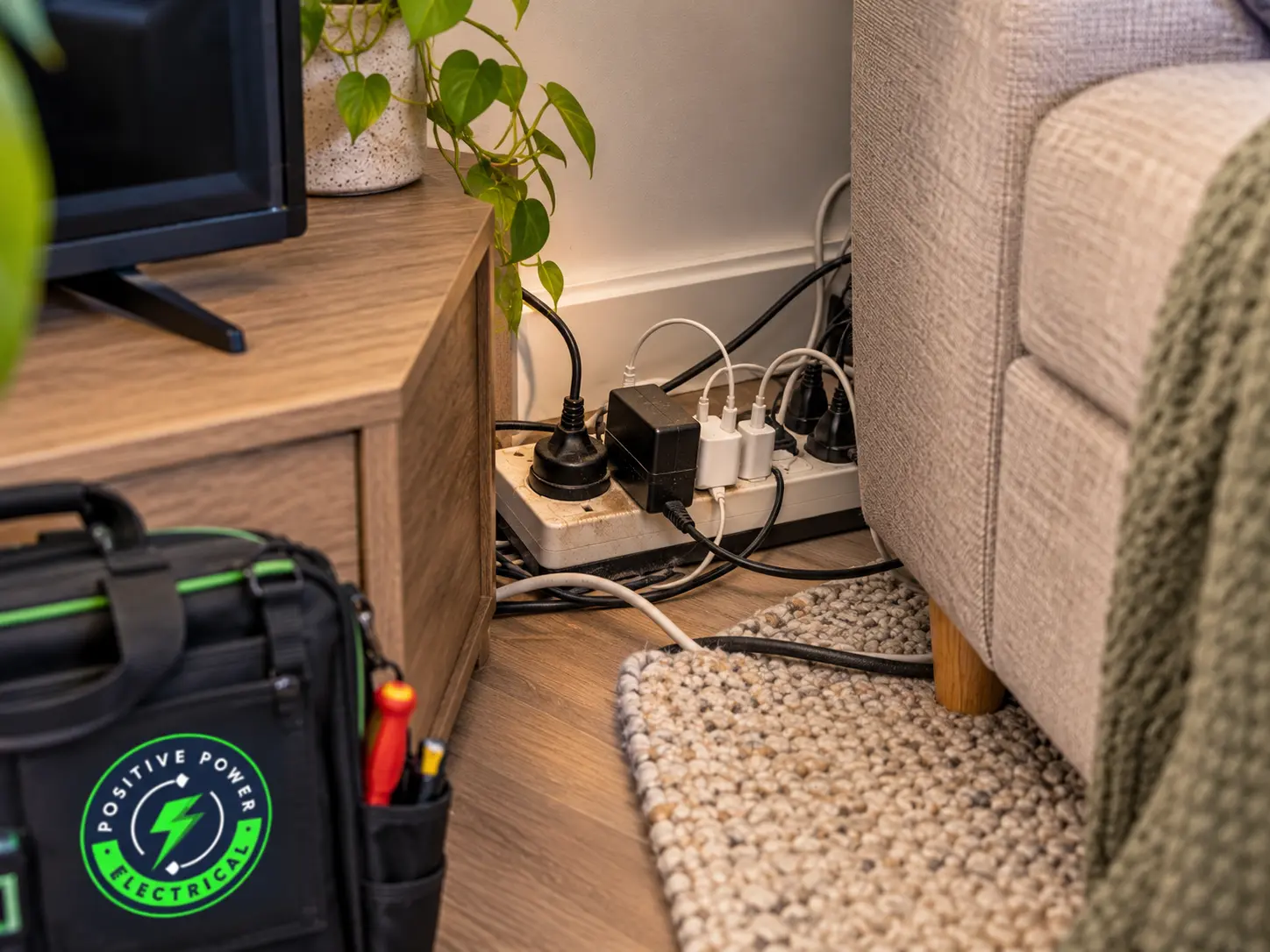
Pull the couch out and there it is: a powerboard, a double adaptor and a tangle of chargers, all feeding off one powerpoint that was put in when a lamp was the only thing that needed it. The same thing is probably happening behind the TV, under the desk and beside the bed. It works, so nobody thinks about it. But powerboards were never meant to be the permanent fix, and adding powerpointswhere you actually need them is usually simpler than people expect.
More fires than you'd think Fire and Rescue NSW says over 350 home fires a year in NSW start from electrical faults.
- Overload protection matters Fire services recommend only using powerboards with a built-in safety switch or circuit breaker.
- No piggybacking Double adaptors on powerboards, or boards plugged into boards, overload a single outlet.
Heaters go in the wall Plug heaters straight into a wall powerpoint, never into a powerboard.
- More outlets is the real fix A double powerpoint in the right spot can retire a powerboard for good.
Most homes don't need a rewire to fix this. They need a few powerpoints in the places life actually happens: beside the bed, behind the TV, along the kitchen bench and in the home office. Whether your Pennant Hills home was built for one phone charger or none at all, it's an easy change with a big payoff.
Is Your Powerboard Setup Actually a Problem?
A powerboard isn't automatically dangerous. A good one with overload protection, running a lamp, a phone charger and a TV, is doing exactly what it was made for. The trouble starts when the powerboard becomes the plan. A heater or kettle plugged into it. A double adaptor stacked on top. A second powerboard plugged into the first, with the whole lot tucked under the rug so nobody trips. Each step adds load to a single powerpoint and a little more heat at every plug. The question isn't whether you have powerboards. It's what you're asking them to do, and for how long.
Low-power gear, good board
Chargers, lamps and a TV on a powerboard with overload protection is fine. Keep it ventilated, check the plugs are pushed in firmly, and you're in good shape.
Boards everywhere, every day
If powerboards are running your home office, kitchen or bedroom full-time, you've outgrown your powerpoints. Adding outlets is the safer, tidier long-term fix.
Warm, melted or smells
A plug or powerboard that feels hot, looks melted or smells like burning plastic is overheating. Call 000 if there's smoke or flames. Otherwise, switch it off at the wall, unplug it and don't use it again.
Signs You've Outgrown Your Powerpoints
Every home has a powerboard or two. These are the signs yours are being pushed harder than they should be.
Boards Plugged Into Boards
A powerboard plugged into another powerboard, or a double adaptor stuck on top, sends everything through one outlet. It's a classic overload setup.
Heaters on a Powerboard
Heaters, kettles and air fryers draw a lot of power. On a powerboard, that load turns into heat right at the plug.
Plugs That Feel Warm
A warm plug, a discoloured powerboard or a faint burning smell means something is overheating. Switch it off at the wall and unplug it.
Cords Under Rugs
Cords under rugs or furniture get crushed and can't shed heat. NSW Fair Trading says never run them there.
Homes Built for Fewer Plugs
Plenty of established homes were wired when a household had a TV, a fridge and not much else. Today the same rooms run laptops, phones, gaming consoles, air fryers and a home office. If your Pennant Hills home still has single powerpoints in most rooms, it's no surprise the powerboards have taken over. Swapping singles for doubles, or adding a few new outlets, is usually far simpler than people expect.
Why Powerboards Become a Fire Risk
A powerboard doesn't create more power. It just shares one powerpoint between several plugs. That's fine while the load is small. Plug in a heater, or stack a few chargers on top of a TV and gaming console, and everything is now pulling through one outlet and one cord. Every connection along the way adds a little resistance, and resistance makes heat. Add dust in the empty sockets, a heavy plug-in adaptor that slowly droops out of its socket, or a cord buried under a rug where heat can't escape, and that warmth has nowhere to go. Fire and Rescue NSW lists exactly these problems as common causes of powerboard fires. None of it happens in a flash. It builds slowly, which is why it's so easy to miss.
1
Overloading
Power-hungry appliances on one board heat the plug and the outlet behind it.
2
Piggybacking
Double adaptors and boards plugged into boards push extra load through one socket.
3
Dust build-up
Dust settles in unused sockets, which is why boards are best kept on their side.
4
Loose plugs
Plugs knocked by feet or dragged by heavy adaptors make poor contact and heat up.
5
Poor airflow
Boards and cords under rugs, beds or furniture can't shed their heat.
How We Add Powerpoints Where You Need Them
We start by asking where you actually use power, not where the old powerpoints happen to be. Then we put outlets in the right places so the powerboards can finally retire.
Step 01
Map How You Use Each Room
We walk through with you and note where the powerboards are, what's plugged into them and what you'd like to run there. A home office, a bedside and a TV wall all need different things.
What we look for
What We Check Before Adding Outlets
- Spare capacity on each circuit
- Old single powerpoints worth upgrading
- Heavy appliances that need their own outlet
Step 02
Plan the Circuits
We work out which circuits can take more outlets and where a new circuit makes more sense. Kitchens and home offices are often where this matters most.
Step 03
Install and Test
We fit the new powerpoints, swap tired singles for doubles where it helps, and test every outlet and the safety switch on the circuit. You get a Certificate of Compliance for Electrical Work (CCEW) for the job.
- Fewer powerboards
- Outlets where you need them
- Safety switch tested
Method matched to cause
Sometimes One Double Powerpoint Is Enough
Not every room needs a big job. Swapping one old single for a double, or adding a powerpoint with USB charging beside the bed, can clear a whole tangle of leads in one go.
Powerpoint installation
USB powerpoints- Safety checks
- Switchboard upgrades
What Shapes the Cost of New Powerpoints
Swapping an existing single powerpoint for a double is usually the simplest job. A brand-new outlet takes more work, depending on how far the cable has to travel and what it has to get through on the way. Kitchens and older homes can take a little longer, especially when a circuit is already working hard.
What You Can Do Today
You can make your current setup safer this afternoon, without touching any wiring. Swap any powerboard without overload protection for one that has it. Move heaters and kettles onto wall powerpoints. Unplug anything piggybacked, lay powerboards on their side so dust can't settle in the empty sockets, and pull cords out from under rugs. Then make a note of which rooms still need more outlets than they have.
Safe to try yourself
Replace boards without overload protection
Plug heaters straight into the wall
Lay powerboards on their side
Fully unwind any extension cord in use
Time to call a professional
Adding or moving powerpoints
Swapping single powerpoints for doubles
Plugs or outlets that feel warm
A safety switch that trips under load
Give Every Plug a Proper Home
Powerboards are handy, but they were never meant to run a modern home full-time. When they're stacked, overloaded or hidden under rugs, they turn one small powerpoint into a hot spot. The fix is usually simple: a few more outlets in the places you actually use power. It tidies up the cords, takes the load off tired powerpoints and removes one of the most common electrical fire risks in the home.
Remember this
One plug per socket, heaters in the wall, and never a board plugged into a board.
Powerpoint and Powerboard FAQs
Are powerboards safe to use?
Yes, if they're good quality and used for the right things. Fire services recommend boards with a built-in safety switch or circuit breaker, running low-power items like chargers, lamps and TVs.
How many things can I plug into one powerboard?
One plug per socket, as long as the total load stays low. The real problem is heavy appliances, not the number of plugs. Heaters, kettles and similar should go straight into a wall powerpoint.
Can I plug a powerboard into an extension cord?
It's best not to. Plug powerboards directly into the wall, and keep extension cords for short-term jobs only.
What are USB powerpoints?
Wall powerpoints with built-in USB charging ports. They let you charge phones and tablets without a bulky adaptor, which frees up the sockets for everything else.
Can you just add a powerpoint to an existing circuit?
Often, yes, if the circuit has spare capacity. If it's already carrying a lot, a new circuit from the switchboard is the safer option, and we'll tell you which one you need.
How do I know if my powerboard has overload protection?
Check the board and its packaging for overload protection, usually with a reset button on the board itself. If you're not sure, replacing it is cheaper than guessing.
Ready to Retire the Powerboards?
Positive Power Electrical can walk through your Pennant Hills home, work out where you really need power, and take care of adding powerpoints neatly and safely. Fewer cords, fewer powerboards and outlets right where you use them.